
Get the BETA
Read before installing:
- The current installable BETA is good for 30 days.
- Success and failure transfer reports are required during BETA.
- Runs locally as an installable Windows app with Start Menu entries.
- Setup requires agreement to the BETA legal disclaimer and acceptable-use terms.
- Windows may show a Microsoft Defender SmartScreen message that says "Windows protected your PC." This can happen with new BETA installers before Windows has seen enough downloads to recognize the app. Confirm the app name is the Capturizer setup file you downloaded from this page, choose More info, then choose Run anyway if you want to continue.
-
What the Windows notice can look like:
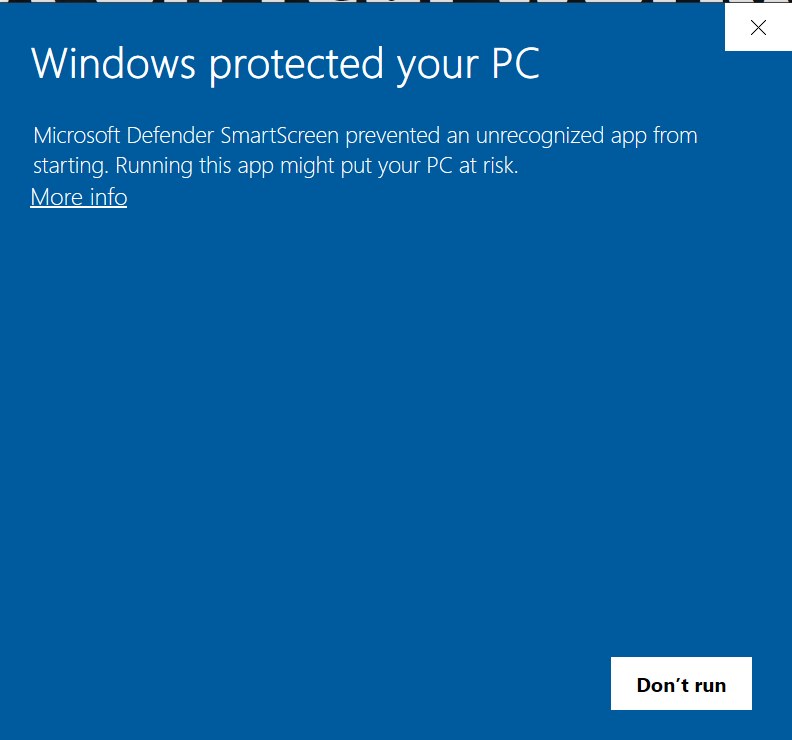
Choose More info to see the app name. 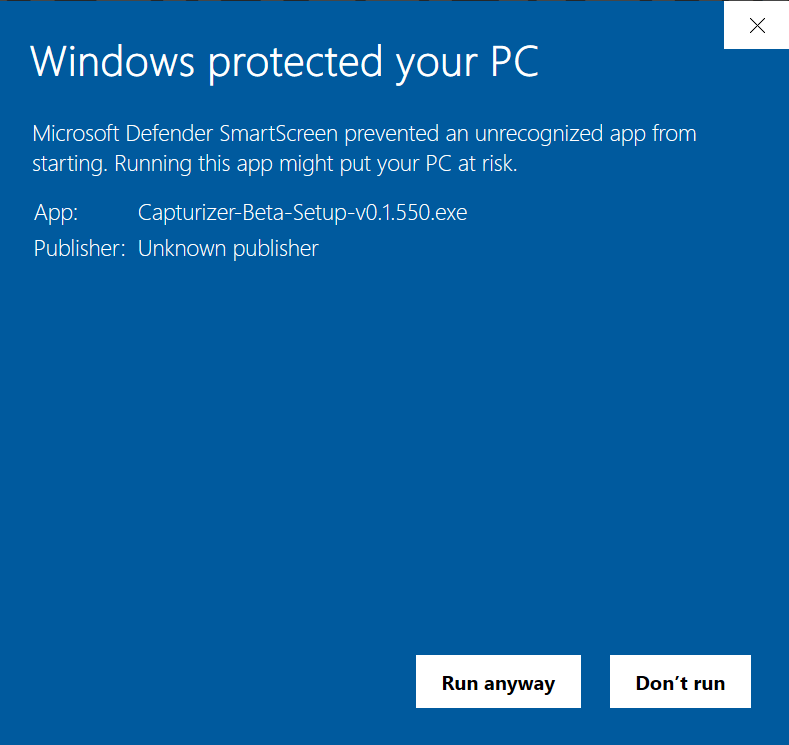
Confirm the Capturizer setup filename, then choose Run anyway. - For best results, we strongly suggest installing VideoLAN VLC and setting up an AI provider API key if you want cloud AI features. More Information
- Setup can open the official VideoLAN VLC download page if you want VLC installed.
- Supports Windows 10 and Windows 11.